Dental attendance, time off, and coverage

Dental Attendance, Time Off, and Coverage System

Run coverage, PTO, and short-notice absences on one workbook. An attendance point engine carried over from a product already selling, plus three planning tabs built for the chair: a Coverage Planner, a PTO Blackout and Shift Swap view, and a Short-Notice Absence Protocol.

5969USD

One-time purchase, no subscription. Instant download.

Built by expert HR practitioners and leaders

  • A point engine with a shipped track record: the occurrence log, rolling window, and discipline stages are character-identical to a TrueStep HR product already in the catalog, so the math carries the trust of a shipped product
  • Protected time kept separate: a protected-absence flag keeps the absences that should never earn points apart from the ones that should, the place homemade spreadsheets create risk
  • Who covers the chair, today: a Coverage Planner that shows who covers each station, with an uncovered station flagged on the board
  • Time off that does not collide: a PTO Blackout and Shift Swap tab that keeps requests from landing on the same day across a small team
  • The 7 a.m. call-out, made routine: a Short-Notice Absence Protocol that turns a same-day call-out into a defined set of steps

The log carries a protected-absence flag so protected time stays separate from countable occurrences. It does not decide what counts as protected, and leave protections vary by state and change, so have your policy reviewed before you rely on it.

One-time purchase Instant download Editable files 14-day guarantee

One editable Excel workbook, general business information, not legal or tax advice. It runs attendance and coverage against the values you set; it is not clinical scheduling software, and attendance, leave, and protected-absence rules change and vary by state, so confirm your requirements before you rely on this.

Last reviewed June 2026

One-time purchaseNo subscription
Instant downloadFiles you keep
Editable filesExcel, Word, PDF
14-day guaranteeMoney back
Secure checkoutSSL encrypted
What you get

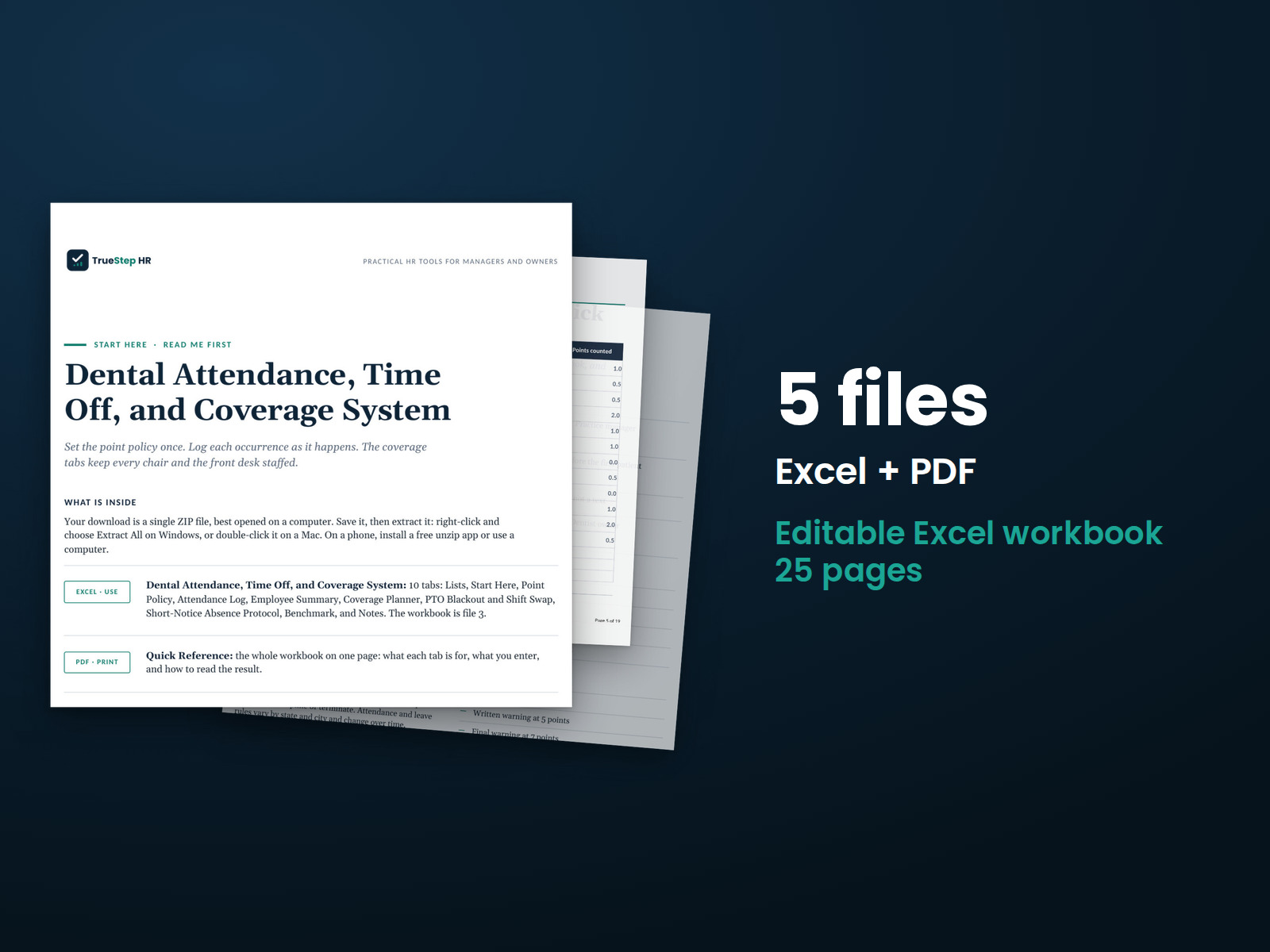
One workbook: the point engine and three planning tabs

Everything runs in a single Excel file that also works in Google Sheets, with a worked Lakeview example on every tab. The Product License and a one-page Google Sheets guide are included.

XLSXExcel

Attendance Point Engine

Logs occurrences, applies a rolling window, and tracks discipline stages, with a protected-absence flag that keeps protected time separate from countable occurrences. The math is character-identical to a product already selling.

XLSXExcel

Coverage Planner

Shows who covers each station, so an uncovered chair is flagged on the board before it costs production.

XLSXExcel

PTO Blackout and Shift Swap

Keeps time off from colliding across a small team, with blackout dates and a place to record swaps.

XLSXExcel

Short-Notice Absence Protocol

Turns a 7 a.m. call-out into a routine: the steps from the first call to the chair covered.

PDFGuide

Using This Workbook in Google Sheets

A one-page note on importing the workbook and what to confirm after the import.

How it works

Set the values, then run coverage every morning

Set your point values, map your stations, and enter your people. The workbook opens on a worked Lakeview practice so the logic is clear before you change anything.

STEP 01

Set the values and the stations

Replace the Lakeview sample with your team, set the point values that fit your practice, and map your stations on the Coverage Planner.

STEP 02

Log occurrences and protected time

Record each occurrence, and mark protected time with the flag so it counts zero. Points, the rolling window, and the discipline stage calculate on their own.

STEP 03

Run coverage and short-notice

Read the Coverage Planner each morning, keep time off off the same day on the PTO tab, and run the Short-Notice Absence Protocol when a 7 a.m. call comes in.

The standard

A shipped point engine, built for the chair

The math comes from a product already selling, and the three new tabs answer the real dental pain, which is coverage today.

In a practice of eight, attendance gets tracked in a hygienist’s head, PTO collides on a paper calendar, and a short-notice absence becomes a scramble that costs production. This workbook runs all three, on a point engine that carries the trust of a shipped product.
The math is not a fresh experiment. The point engine is character-identical to a TrueStep HR product already in the catalog, so it carries the trust of a shipped formula rather than an untested one.
The protected-absence flag is built in. It keeps the absences that should never earn points separate from the ones that should, the place homemade attendance spreadsheets create risk, and the worked example shows it counting zero.
An HR tool, not clinical software. It runs coverage and attendance. Clinical scope, supervision, and licensure belong to the dentist and your state board, and leave protections vary by state, so have your policy reviewed.
Is this for you

Who it is built for

Who the workbook fits, and where to go if your need is something else.

Built for

  • A practice owner or office manager who needs to know who covers the chair when an assistant calls out at 7 a.m.
  • A small team where PTO collides on a paper calendar and late arrivals never get a real count.
  • An office that wants the attendance math and the coverage board in one file, not three.

If your need is different

Questions

Before you buy

Does it handle absences that should not get points?
Yes. The log carries a protected flag so protected time is kept separate from countable occurrences. It is general information, not legal or tax advice, and leave protections vary by state and change, so have your policy reviewed before you rely on it.
Is this clinical scheduling software?
No. It is an HR coverage and attendance tool. Clinical scope, supervision, and licensure belong to the dentist and your state board.
Can I change the point values?
Yes. Set the values that fit your practice and the thresholds and discipline stages follow your numbers.
Do I need special software?
No. The workbook opens in Excel or Google Sheets, and a short guide for the Sheets path is included.
What is the refund policy?
Digital products are covered by a 14-day money-back guarantee. See the refund policy for the full terms.
What happens after I buy?
Checkout delivers an instant download link, and a receipt with the same link arrives by email. Open the workbook, set your point values, map your stations, and read the Coverage Planner. If a file gives you trouble, email support@truestephr.com.
Can I expense this purchase to my business?
Most customers buy TrueStep HR tools for business use, and a tool you use for work often qualifies as a deductible business expense. Whether it does for you depends on your situation, so confirm with your accountant or tax professional. Your receipt arrives by email at checkout and works as documentation.
Free guide

The 6 red flags to check before you discipline or fire someone

A five-minute screen that catches the most common and most expensive people-decision mistakes before they happen. Free PDF, sent to your inbox. Unsubscribe anytime.

Get the system

Answer who covers the chair, every morning

Your team, your point values, and your stations: the workbook turns them into the attendance math, the coverage board, the PTO view, and the short-notice routine, on an engine already proven in the catalog.

$59
One-time purchase, no subscription

Recordkeeping and planning support, not legal or tax advice. Last reviewed June 2026.