Tracker workbook

Contingent Workforce Headcount and Spend Tracker

Contingent workers sit outside the HRIS, so nobody owns the number. This tracker is the roster, the spend view, and the early-warning flags in one file.

$29USD

One-time purchase, no subscription. Instant download.

Built to the TrueStep HR standard

  • Assignment roster by worker, department, site, vendor, and rate, with computed tenure
  • Tenure-cap flag at the 18-to-24-month line, with a break-in-service alert
  • Agency spend by vendor so the program bill stops hiding across invoices
  • FT-vs-temp ratio by department, the mix number leadership asks for
  • Conversion watchlist naming the candidates and the case for each
  • Start Here guide plus the tracker, license, and Google Sheets guide

The tracker keeps the program visible. Tenure caps are framed as common practice, not a legal safe harbor.

14-day money-back guarantee. If it does not help, email us and we refund you.

Want it set up with you? Add a 60 minute implementation session — $149 →

One-time purchase Instant download Editable files

Planning figures built from sourced, dated defaults. General information, not legal or tax advice; confirm your own rates and terms before acting on the outputs.

Not the right fit? Take the 60-second match.

Buying for clients or multiple entities? The White-Label tier is in the license.

One-time purchaseNo subscription
Instant downloadFiles you keep
Editable filesExcel, Word, PDF
14-day guaranteeMoney back
Secure checkoutSSL encrypted
What you get

The management surface the one-time decision leaves behind

A conversion decision is a moment; a contingent program is a running system. The tracker is the file that keeps it visible. Works in Excel or Google Sheets.

PDFStart here

Start Here

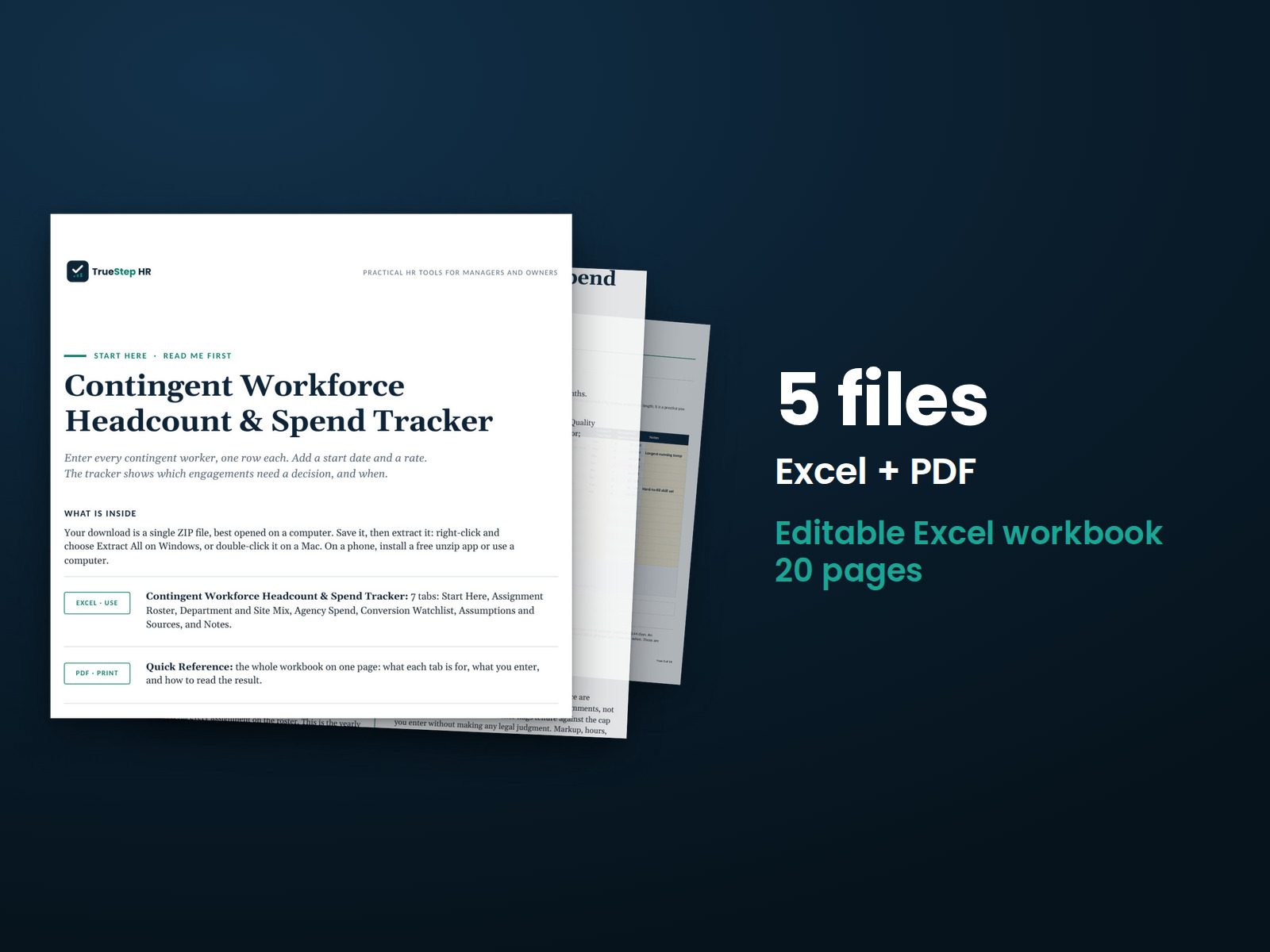
How the tabs fit together and the order to work in. One page, read it first.

XLSXExcel

Contingent Workforce Headcount and Spend Tracker

The assignment roster with computed tenure and flags, program reads for headcount and the FT-versus-temp ratio, agency spend by vendor, the conversion-candidate watchlist, and an assumptions tab. Opens on a worked example. Works in Excel or Google Sheets.

PDFLicense

TrueStep HR Product License

What you can and cannot do with the files, including the consultant and white-label tiers.

PDFGuide

Using This Workbook in Google Sheets

The two-minute import path if your team lives in Google Sheets rather than Excel.

How it works

The method in the order a program review runs

Load the roster once, then the reads, the flags, and the watchlist update themselves as assignments change.

STEP 01

Load the roster

Every assignment with worker, department, vendor, start date, and rates. Tenure computes from the dates, so the flags never depend on anyone remembering.

STEP 02

Read the program

Headcount by department, the FT-versus-temp ratio, and total spend by vendor, computed from the roster rather than retyped.

STEP 03

Watch the flags

Assignments approaching the 18-to-24-month tenure line flag themselves, and the break-in-service alert catches the returner whose clock did not reset.

STEP 04

Work the watchlist

The conversion-candidate view names who to move onto payroll next and carries the cost case for each, ready for the conversion workbook.

The standard

Built to make the invisible spend visible

Agency spend hides in accounts payable, one invoice at a time. Pulled into one roster, the program has a number, a trend, and a set of flags.

The rule behind thisWhat contingent labor costs
You cannot manage a program you cannot see. The roster, the spend, and the tenure clocks in one place is the whole point.
Tenure caps framed plainly. The 18-to-24-month cap is documented as a common corporate practice, not a legal safe harbor, because that is what it is.
Computed, not asserted. Tenure, ratios, spend shares, and flags compute from the roster dates and rates, so the file stays right as it is maintained.
Vendor view built in. Spend by agency with share of program, the view that turns a renegotiation from a feeling into a number.
A worked example throughout. The tracker opens on a realistic program, not a blank grid.

Where the tracker points to counsel

A tracker surfaces patterns; some patterns are legal questions. Route these to qualified employment counsel rather than treating the flag as the answer.

Long-tenure workers integrated like employees A returner whose break in service looks thin Converting anyone to 1099 status One vendor holding most of a critical department
Is this for you

Who it is built for

Who this fits, and where to go if that is not you.

Built for

  • An HR lead or operator running a contingent population that never shows up in the HRIS.
  • A finance partner who wants agency spend by vendor without a systems project.
  • A consultant standing up basic contingent-workforce governance for a client.

If you are looking for

Questions

Before you buy

What does the tenure-cap flag do?
Each assignment computes its tenure from the start date, flags as it approaches the 18-to-24-month band you set, and carries a break-in-service alert for returners. The cap is framed as common practice; it is not a legal safe harbor, and the Start Here says so plainly.
How much upkeep does it need?
Assignments in and out as they change, rates when they change. Everything else computes. A monthly fifteen-minute pass keeps the program reads current.
Does it work for multiple sites and vendors?
Yes. The roster carries department, site, and vendor per assignment, and the spend and ratio reads slice by each.
Is this legal advice?
No. The tracker organizes and surfaces the program; classification and co-employment questions it surfaces belong with qualified employment counsel.
Is it a subscription?
No. One-time purchase, instant download, no recurring fee. You keep the files.
Will it stay current as the figures change?
Each file carries a last-reviewed date so you can see how current it is, and the assumptions tab dates every default to its source, so a changed rate is a one-cell update rather than a mystery.
What is the refund policy?
Digital products are covered by a 14-day money-back guarantee. See the refund policy for the full terms.
What happens after I buy?
Checkout delivers an instant download link, and a receipt with the same link arrives by email. Open the Start Here page first; it tells you the order to work in. Questions or want a hand getting set up? Email support@truestephr.com.
Can I expense this purchase to my business?
Most customers buy TrueStep HR tools for business use, and a tool you use for work often qualifies as a deductible business expense. Whether it does for you depends on your situation, so confirm with your accountant. Your receipt arrives by email at checkout and works as documentation.
Free guide

The 6 red flags to check before you discipline or fire someone

A five-minute screen to run before you act. Free PDF, sent to your inbox. Unsubscribe anytime.

The method behind this

This tool is built on published method and current rules. Read the basis yourself:

Get the tracker

Put the whole contingent program on one page

The roster, the spend by vendor, the tenure flags, and the conversion watchlist, opened on a worked example.

$29
One-time purchase, no subscription. Instant download.