HR calculator

Attendance Point System Tracker

Run a no-fault point system for a whole team in one file. Set the policy once, log each occurrence, and the workbook ages points off after your window and shows each person’s active points, current stage, and who has reached a discipline step.

$29USD

One-time purchase, no subscription. Instant download.

Built by expert HR practitioners and leaders

  • A whole team in one file: log every occurrence for everyone in one place, and the workbook rolls each person up to active points, a current stage, and the points to their next step, instead of a separate sheet per employee
  • Points that age off on a rolling window: set an As of date and a window, commonly twelve months, and each occurrence stops counting once its date passes the roll-off, so a clean stretch lets points fall away
  • Protected leave counts zero: mark an occurrence covered by the FMLA, an ADA accommodation, the PWFA, workers’ compensation, military duty, jury duty, or a state or local leave law as protected, and it adds no points
  • Your policy, not a fixed template: set your own point values and your verbal, written, final, and termination-review thresholds once, and every total and stage follows them
  • Open, editable formulas in Excel or Google Sheets, with a worked example pre-filled and a Benchmark tab that sanity-checks your point values against public figures

The workbook computes from what you log. Your point values, rolling window, thresholds, and people are yours to set.

One-time purchase Instant download Editable files 14-day guarantee

Recordkeeping and planning support, general business information, not legal or tax advice. It runs a consistent point system and documents occurrences; it does not decide what is lawful or who to discipline. Confirm what is protected under federal, state, and local law, apply your policy the same way for everyone, and get qualified legal or HR help before you discipline or terminate.

Not the right fit? Take the 60-second match.

Last reviewed June 2026

One-time purchaseNo subscription
Instant downloadFiles you keep
Editable filesExcel, Word, PDF
14-day guaranteeMoney back
Secure checkoutSSL encrypted
What you get

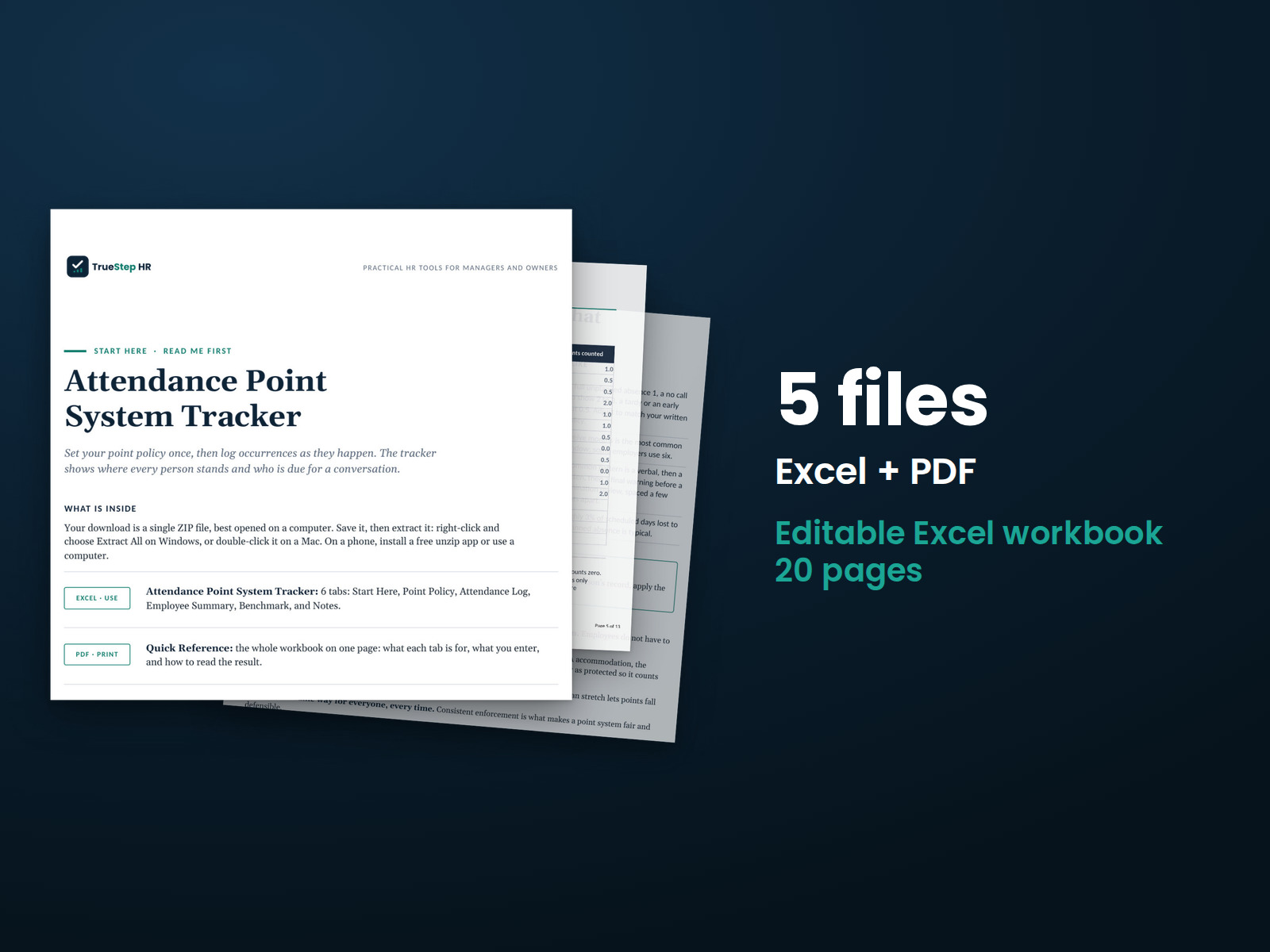
One Excel workbook that runs the point system and rolls up the whole team

A working tracker, not a blank grid. You set the point values, the rolling window, and the thresholds once, log occurrences as they happen, and the workbook handles the points, the roll-off, the protected-leave exclusion, and the per-person rollup. It opens on a worked example so the logic is clear before you change anything.

XLSXExcel + Sheets

Point policy and attendance log

Set your point values, an As of date, a rolling window, and your verbal, written, final, and termination-review thresholds on the Point Policy tab. Log one row per occurrence with a date, a type from the dropdown, and a protected flag; the points, whether the occurrence still counts inside your window, and the points counted calculate automatically.

XLSXBuilt in

A team summary, sourced benchmarks, and the method in plain English

An Employee Summary rolls every person up to active points, a current stage, the points to their next step, and an On track or Action needed status, and counts how many have reached a step. A Benchmark tab holds typical absence rates and common point values from BLS, the EEOC, and SHRM, lists the protected-leave types you must never count, and the Notes tab documents how each number is built.

How it works

Three steps from a written policy to a team you can read at a glance

You set the policy once, log occurrences as they happen, and the workbook ages points off, excludes protected leave, and shows where everyone stands.

STEP 01

Set your policy once

On the Point Policy tab, fill the amber cells: a point value for each occurrence type, an As of date, your rolling window in months, and the point totals that trigger a verbal, a written, a final warning, and a termination review. These are your tolerance, not a legal standard, and they drive every total in the file.

STEP 02

Log each occurrence

Add one row per occurrence with the date, the type from the dropdown, and whether it is protected. Points look up from your policy, the workbook marks whether the occurrence still counts inside your window, and protected or aged-out occurrences count zero. Clear the worked example and use the blank rows for your own people.

STEP 03

Read the summary

The Employee Summary rolls each person up to active points, a current stage, the points to their next step, and an On track or Action needed status, and shows how many people have reached a step, so you can see who needs attention and who is close to a line.

The standard

A point system is only as fair as the leave it leaves out

A no-fault policy keeps attendance consistent: the same occurrence earns the same points for everyone, and discipline rests on a documented record rather than a manager’s memory. What turns that into legal exposure is counting time the law protects.

A no-fault point system does not lower the absence rate by itself. It makes enforcement consistent and gives you a documented basis to act when one person’s pattern stands out, against a BLS full-time absence rate near 3.2 percent of scheduled days. The exposure comes from counting leave the law protects. The EEOC’s largest disability-discrimination settlement, 20 million dollars from Verizon, turned on a no-fault attendance policy that disciplined people for disability-related absences, and New York now treats assessing points for a legally protected absence as unlawful on its own. This workbook marks protected occurrences as zero and ages points off, so the record you act on is the one the law lets you count.
No-fault means the fact, not the reason. The same occurrence earns the same points for everyone, so no one has to explain or justify an absence and the process stays consistent. Consistent enforcement applied the same way for everyone is what makes a point system defensible.
Protected leave is never counted. Time covered by the FMLA, the ADA, the PWFA, workers’ compensation, USERRA, jury duty, or a state or local leave law cannot add points, even under a no-fault policy. Mark it protected so it counts zero, and confirm what is protected in your state before you act.
Points roll off, so a clean stretch recovers. Each occurrence stops counting once its date passes your roll-off, which keeps the system from holding an old absence against someone forever and gives everyone a way back to a clean record.
Is this for you

Who this tracker fits and where to go if that is not you

It runs a no-fault point system for a team and shows each person’s standing. If you want the cost of those absences in dollars, or the documents behind acting on a high-point record, the right tool is next to it.

Built for

  • An owner or operations manager running attendance across an hourly team who wants one consistent, documented system instead of a folder of one-off spreadsheets.
  • An HR generalist who has to keep a point policy applied the same way for everyone and be able to show the record behind any warning or termination.
  • A manager who needs to see who has reached a discipline step and who is close, without rebuilding the math by hand every time someone misses a shift.

If you are looking for

Questions

Before you buy

What format is it and can I edit it?
It is one Excel workbook that also works in Google Sheets. Every point value, threshold, and formula is editable, and the file is yours to keep. Add occurrences or employees by inserting rows inside the tables, and duplicate the file to run a second location on its own.
There is a free version of this. Why pay for this one?
The free calculator scores one employee in the browser and resets when you close the tab. This workbook runs the whole team in one file: it logs each occurrence with a date, ages points off automatically once they pass your rolling window, flags protected leave so it counts zero, and rolls every person up to active points, a current stage, and an On track or Action needed status. It is a file you keep, with open formulas and a sourced benchmark tab, so you can set the policy to your own operation, hold the record a warning rests on, and read where the whole team stands on one page.
How accurate is the result?
The math is correct for what you log: points look up from your policy, occurrences age off on the rolling window you set, and protected occurrences count zero. The output is a consistent read on attendance, not a decision. It does not judge whether an occurrence is protected or decide who to discipline. Confirm what is protected under federal, state, and local law, apply your policy the same way for everyone, and get qualified legal or HR help before you discipline or terminate.
What counts as a protected absence I should not point?
Time off protected by law cannot add points, even under a no-fault policy: leave under the FMLA, an ADA accommodation, the Pregnant Workers Fairness Act, workers’ compensation, military duty under USERRA, jury duty, and state or local protected-leave or paid-sick-leave laws. Mark those occurrences as protected so they count zero. Counting protected leave, or disciplining someone for it, is where employers draw interference and discrimination claims, so identify and exclude it first and confirm your state and local rules, which vary and change.
What is the refund policy?
Digital products are covered by a 14-day money-back guarantee. See the refund policy for the full terms.
What happens after I buy?
Checkout delivers an instant download link, and a receipt with the same link arrives by email. Open the workbook in Excel or Google Sheets, set your point values and thresholds on the Point Policy tab, and start logging occurrences. If a file gives you trouble, email support@truestephr.com.
Can I expense this purchase to my business?

Most customers buy TrueStep HR tools for business use, and a tool you use for work often qualifies as a deductible business expense. Whether it does for you depends on your situation, so confirm with your accountant or tax professional. Your receipt arrives by email at checkout and works as documentation.

Free guide

The 6 red flags to check before you discipline or fire someone

A five-minute screen that catches the most common and most expensive people-decision mistakes before they happen. Free PDF, sent to your inbox. Unsubscribe anytime.

Get the calculator

Run attendance as one consistent system

Set the policy once, log occurrences, and see who has reached a step, in a file you keep with open formulas.

$29
One-time purchase, no subscription

Recordkeeping and planning support, general business information, not legal or tax advice. Last reviewed June 2026.