HR calculator

Recruiter Capacity Planner

Size the recruiting team your pipeline needs. Enter your open reqs by complexity and your current team, and the planner returns the recruiters you need, who on the roster is over or under capacity, and what moving to the recommended team adds or saves each year.

$29USD

One-time purchase, no subscription. Instant download.

Built by expert HR practitioners and leaders

  • How many recruiters your pipeline needs: your open reqs weighted by complexity and adjusted for the time recruiters spend on reqs, with the recommended team, your utilization, and the gap
  • A roster that shows who is buried: each recruiter’s weighted load with an over, at, or under capacity flag, because a team can look fine in total while one desk is overloaded
  • The cost of the decision: your recruiting team’s annual cost now and at the recommended size, so the case for the next recruiter arrives with a dollar figure attached
  • Sourced benchmarks built in: typical req loads by complexity from SHRM and Gem’s 2025 report, so you can calibrate the maximums against published ranges and your own throughput
  • Open, editable formulas in Excel or Google Sheets, with a worked example pre-filled and a one-page summary that rolls the need, the gap, and the cost into a board-ready view

The planner computes from the numbers you enter. Your open reqs, your team, the maximums each recruiter can carry, and the loaded recruiter cost are yours to set.

One-time purchase Instant download Editable files 14-day guarantee

Planning estimates and general business information, not legal or tax advice. Capacity varies with role mix, tools, and recruiter experience, so set the max reqs per recruiter to your team’s real throughput; the built-in benchmarks are starting points.

Not the right fit? Take the 60-second match.

Last reviewed June 2026

One-time purchaseNo subscription
Instant downloadFiles you keep
Editable filesExcel, Word, PDF
14-day guaranteeMoney back
Secure checkoutSSL encrypted
What you get

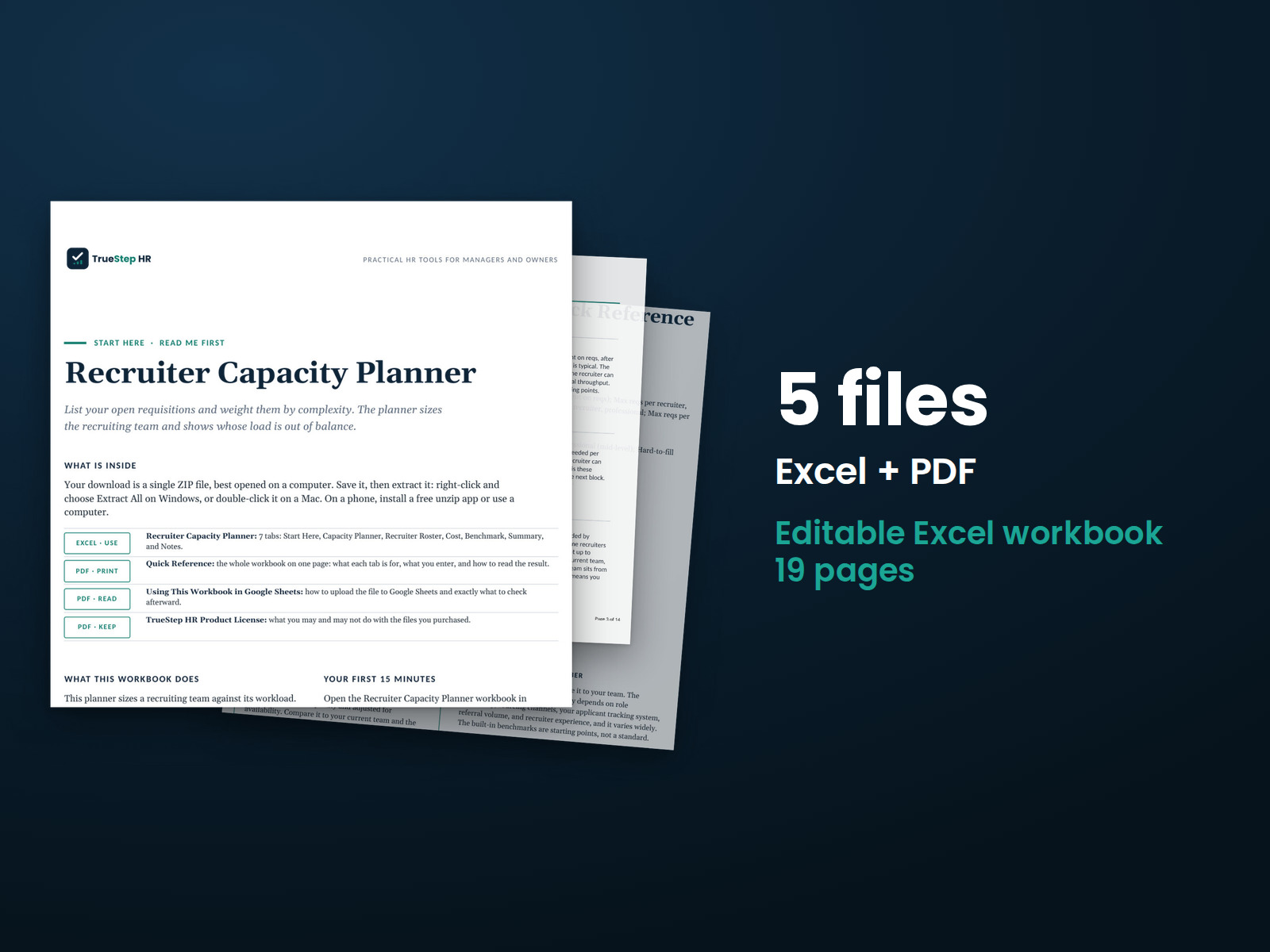
One Excel workbook that sizes and balances your recruiting team

A working model, not a blank grid. You enter your open reqs by complexity and your current team, the planner returns the recruiters you need and the gap, and it opens on a worked example so the logic is clear before you change anything.

XLSXExcel + Sheets

Recruiter Capacity Planner

Set your assumptions, recruiter availability and the most reqs one recruiter can carry in each bucket, then enter your open reqs as high-volume, professional, or hard-to-fill. The planner divides each bucket by its maximum, adjusts for availability, and returns the recruiters you need, the recommended whole-number team, your utilization, and the gap. A Recruiter Roster tab lists each recruiter with a weighted load and an over, at, or under capacity flag.

XLSXBuilt in

The cost to right-size, current benchmarks, and the method in plain English

A Cost tab prices your team now and at the recommended size, so you can weigh adding a recruiter against agency fees on the overflow. A one-page Summary rolls the need, the gap, and the cost into a board-ready view, a Benchmark tab holds typical req loads by complexity from SHRM and Gem’s 2025 report, and the Notes tab documents how each number is built.

How it works

Three steps from open reqs to the team you need

You set the maximums, enter the pipeline and the team, and the planner returns the need, the roster balance, and the cost.

STEP 01

Set your assumptions

Fill the amber cells for recruiter availability, the share of time spent on reqs after intake meetings and admin, and the most reqs one recruiter can carry in each complexity bucket. The Benchmark tab holds published ranges to calibrate against.

STEP 02

Enter the pipeline and the team

Enter your open reqs as high-volume, professional, or hard-to-fill, and your recruiters as FTE. The recruiters needed, the recommended team, your utilization, and the gap compute, and the Recruiter Roster spreads the load across named recruiters.

STEP 03

Read the gap and the cost

A positive gap with utilization over 100 percent means the team is stretched. The roster shows who is over or under capacity, and the Cost tab prices the move to the recommended team so the decision carries a dollar figure.

The standard

A flat req count hides the real workload

The common shortcut is a single number of open reqs per recruiter, which treats a hard-to-fill executive search as the same job as a high-volume hourly opening. This planner weights the buckets separately, which is why its answer reflects the desk your recruiters carry.

SHRM puts the median recruiter load at 15 to 20 open reqs, with about half of organizations sitting near 20, while Gem’s 2025 Recruiting Benchmarks report has the average recruiter carrying 14 open reqs, up 56 percent in three years as the average team shrank from 31 to 24. The single number matters less than the mix: a hard-to-fill search takes far more recruiter time than a high-volume req, so weight the buckets before you size the team.
Complexity is weighted, not averaged. Each bucket divides by its own maximum, 25 high-volume, 15 professional, and 5 hard-to-fill by default, all inside published ranges, so four senior searches register as most of a desk while four hourly reqs barely move it.
Availability turns workload into headcount. Recruiters spend roughly 80 to 90 percent of their time on reqs after intake meetings and admin, so the planner divides the need by availability; the worked example turns 4.0 recruiters of raw workload into 4.4 needed.
Utilization over 100 percent is the early warning. A stretched team shows up as longer time to fill and candidates lost to faster competitors before it shows up in headcount requests, so read the gap and the right-size cost together.
Is this for you

Who this planner fits and where to go if that is not you

It sizes and balances the recruiting team against your open reqs. For the agency-versus-in-house decision or headcount planning across the wider workforce, the right tool is next to it.

Built for

  • A talent acquisition or HR leader who needs to size the recruiting team, or defend its size, with the workload weighted by complexity and the cost attached.
  • A finance or HR partner weighing the next recruiter’s loaded cost against agency fees and the cost of slow hiring.
  • A recruiting manager balancing desks who wants to see who is over capacity before quality and time to fill slip.

If you are looking for

Questions

Before you buy

What format is it and can I edit it?
It is one Excel workbook that also works in Google Sheets. Every input and formula is editable, and the file is yours to keep. Add recruiters to the roster by inserting rows, and duplicate the file to plan a second team or the next planning cycle.
There is a free version of this calculator. Why pay for this one?
The free tool gives a quick browser estimate from the same bucket logic and resets when you close the tab. This workbook is the model you keep: it adds a Recruiter Roster that spreads the load across named recruiters and flags who is over, at, or under capacity, a Cost tab that prices your team now and at the recommended size, a board-ready one-page summary, and a Benchmark tab with sourced req-load ranges. Every formula is open, so you can calibrate the maximums to your own throughput and reuse the file as the pipeline changes.
How accurate is the result?
It is a planning estimate, and the capacity assumptions drive it. How many reqs a recruiter can carry depends on role complexity, sourcing channels, your applicant tracking system, referral volume, and recruiter experience, and it varies widely. The built-in benchmarks are starting points, so track your recruiters’ real throughput and time to fill, then set the maximums to match. The math is correct for the inputs.
What counts as high-volume, professional, or hard-to-fill?
High-volume is hourly and entry roles with heavy applicant flow and lighter screening per opening. Professional is the mid-level mix of sourcing, screening, and hiring-manager coordination most corporate recruiters carry. Hard-to-fill is senior, niche, or executive work with heavy proactive sourcing and long pipelines. If a req sits between buckets, put it in the nearer one or adjust that bucket’s maximum.
What is the refund policy?
Digital products are covered by a 14-day money-back guarantee. See the refund policy for the full terms.
What happens after I buy?
Checkout delivers an instant download link, and a receipt with the same link arrives by email. Open the workbook in Excel or Google Sheets, enter your open reqs and your team, and read the recruiters you need. If a file gives you trouble, email support@truestephr.com.
Can I expense this purchase to my business?

Most customers buy TrueStep HR tools for business use, and a tool you use for work often qualifies as a deductible business expense. Whether it does for you depends on your situation, so confirm with your accountant or tax professional. Your receipt arrives by email at checkout and works as documentation.

Free guide

The 6 red flags to check before you discipline or fire someone

A five-minute screen that catches the most common and most expensive people-decision mistakes before they happen. Free PDF, sent to your inbox. Unsubscribe anytime.

Get the planner

Put a number on your recruiting team

The recruiters your pipeline needs, who is over capacity, and what right-sizing costs, in a file you keep.

$29
One-time purchase, no subscription

Planning estimates and general business information, not legal or tax advice. Last reviewed June 2026.