HR calculator

Overtime vs New Hire Planner

Weigh the cost of covering a recurring overload with overtime against the fully loaded cost of adding a person. Enter the extra hours per week and the pay rates, set the benefits load and the one-time cost to hire, and the workbook shows the cost each way per year, the break-even in weekly overtime hours, and where a steady overload starts to favor a hire.

$39USD

One-time purchase, no subscription. Instant download.

Built by expert HR practitioners and leaders

  • Overtime against a new hire, per year: enter the extra hours and the pay rates, set the benefits load and the multiplier, and see the cost each way side by side
  • The break-even in weekly overtime hours: the point where the two annual costs meet, so you can read it against the hours you are covering right now
  • A three-year view: the one-time cost to hire lands in the first year only, so a steady overload that looks close at first usually favors a hire by year three
  • Several overloads weighed at once: a Scenarios tab lists situations side by side, flags the cheaper option for each, and totals the yearly saving
  • Open, editable formulas in Excel or Google Sheets, with a worked example pre-filled and sourced benchmarks; set your assumptions once and reuse the file each time the question comes up

The workbook does the comparison from the numbers you enter. Your wage rates, your real cost to hire, whether the overload is recurring, and the decision itself are yours to set.

One-time purchase Instant download Editable files 14-day guarantee

Planning estimates and general business information, not legal or tax advice. The result depends on the wage rates, the load, and the cost to hire you enter, so use your own figures and confirm overtime eligibility before you build a plan around the number.

Not the right fit? Take the 60-second match.

Last reviewed June 2026

One-time purchaseNo subscription
Instant downloadFiles you keep
Editable filesExcel, Word, PDF
14-day guaranteeMoney back
Secure checkoutSSL encrypted
What you get

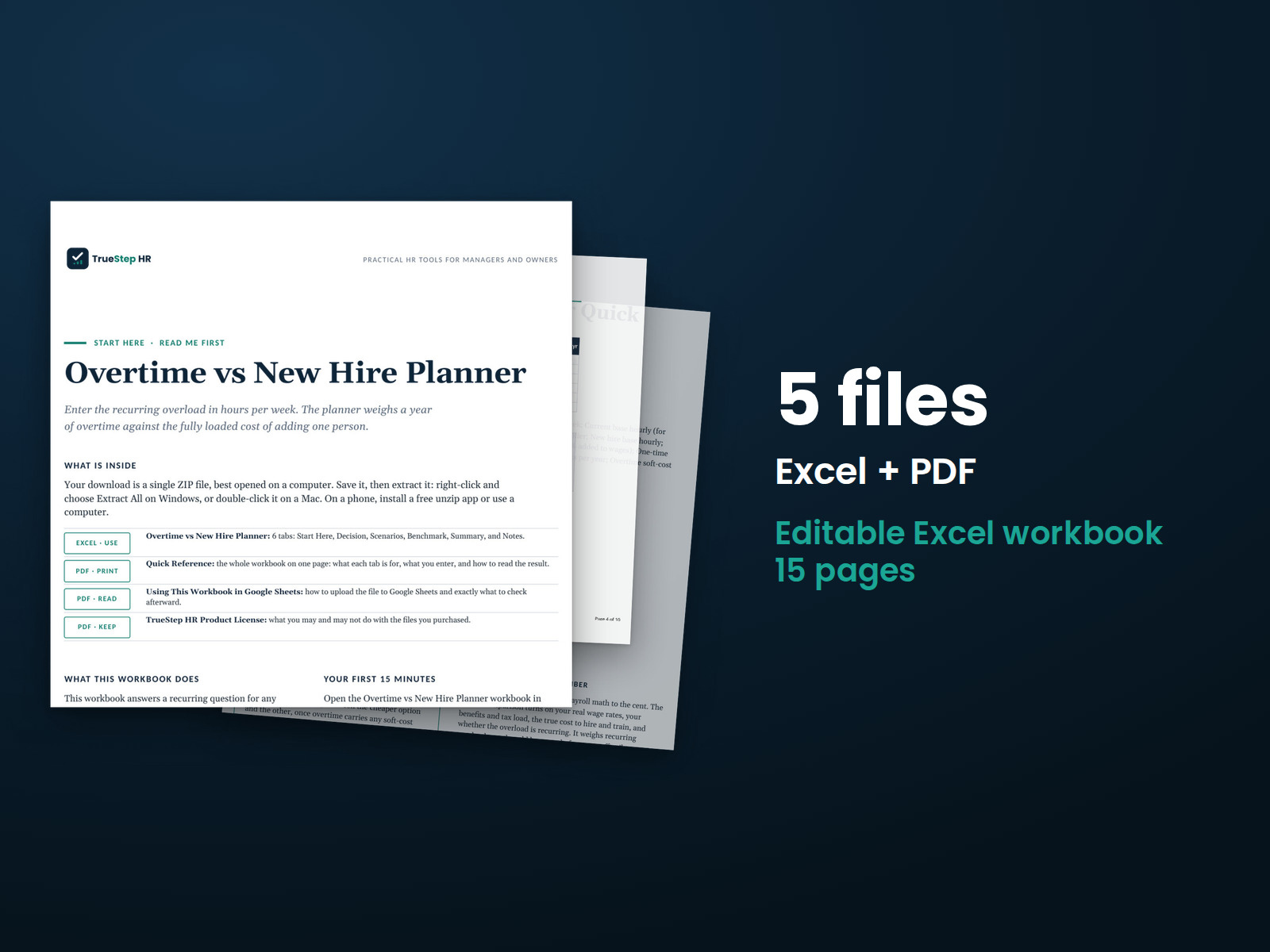
One Excel workbook that weighs overtime against an added hire

A working model, not a blank grid. You enter the hours and the pay rates, the workbook costs both routes and finds the break-even, and it opens on a worked example so the comparison is clear before you change anything.

XLSXExcel + Sheets

Overtime vs New Hire Planner

Enter the recurring extra hours per week, the current base rate and overtime multiplier, the new hire base rate and benefits load, and the one-time cost to hire and ramp. The workbook returns the overtime cost per year, the new hire loaded cost, the cheaper option, the break-even in weekly overtime hours, and a three-year view, and opens on a worked example so the logic is clear before you change the inputs.

XLSXBuilt in

Several scenarios, a summary, and the math in plain English

A Scenarios tab weighs several overloads at once and flags the cheaper option for each. A one-page summary carries the recommendation and the three-year saving into a budget conversation. A Benchmark tab holds sourced overtime, benefits, and cost-per-hire figures, and the Notes tab documents how each number is calculated.

How it works

Three steps from the overload to the cheaper route

You enter the hours and the pay rates, set the load and the cost to hire, and the workbook shows which route costs less and where it tips.

STEP 01

Enter the overload

Set the recurring extra hours per week, the current base rate, and the overtime multiplier, so the overtime side reflects the premium you pay on those hours.

STEP 02

Set the hire

Enter the new hire base rate, the benefits and burden load, and the one-time cost to hire and ramp, so the hire carries its fully loaded cost.

STEP 03

Read the break-even

The workbook shows the cost each way per year, the break-even in weekly overtime hours, and the three-year view, so the call is a number, not a hunch.

The standard

A variable cost against a fixed one, costed the way it works

Overtime is a premium you pay only for the hours; a hire is a fixed cost you carry whether the overload is there or not. The right answer turns on the hours and the pay gap, so the workbook costs both and shows where they cross.

The federal overtime premium is 1.5 times the regular rate for nonexempt hours over 40 in a week, so a sustained overload runs expensive by design. Whether a hire is cheaper depends on how many hours you are covering against the loaded cost of a person, which is what the break-even measures.
A break-even you can act on. The point where a hire becomes the cheaper route is stated in weekly overtime hours, so you can read it against the hours you are covering right now.
Year one is closer than the years that follow. The one-time cost to hire lands in the first year only, so the workbook shows a three-year view where a recurring overload usually favors a hire by year three.
Soft costs are optional, not hidden. An overtime soft-cost uplift for fatigue, errors, and turnover is a separate input, so you can price the risk of running people hot into a close call or leave it out.
Is this for you

Who this planner fits and where to go if that is not you

It is built for a recurring overload, the steady extra hours that keep coming back. For the size of the team or how a shift pattern is covered, the right tool is next to it.

Built for

  • An operations or HR leader deciding whether to keep paying overtime or add a person to a team carrying steady overload.
  • A plant, warehouse, or shift manager weighing overtime against a hire before the next budget cycle.
  • A finance or HR partner who wants the cost each way and the break-even on one page before the headcount conversation.

If you are looking for

  • The number of people a recurring workload needs, not the overtime-versus-hire cost. The FTE Headcount Planner converts a workload into the headcount it requires.
  • How many people a shift pattern needs to cover the hours, not the cost comparison. The Shift Staffing Planner sizes coverage across shifts.
Questions

Before you buy

What format is it and can I edit it?
It is one Excel workbook that also works in Google Sheets. Every input and formula is editable, and the file is yours to keep. Duplicate it to weigh a second overload side by side.
There is a free version of this calculator. Why pay for this one?
The free tool gives a quick browser estimate for one comparison and resets when you close the tab. This workbook is the planner you keep: it costs overtime against a fully loaded hire, finds the break-even in weekly overtime hours, weighs several overloads at once on the Scenarios tab, and shows a three-year view, with sourced benchmarks to check your inputs. You set your assumptions once, reuse the file each time the question comes up, and read every formula instead of trusting a number.
How accurate is the result?
It is only as good as the wage rates, the load, and the cost to hire you enter, so treat the output as a planning estimate. The math, including the break-even and the three-year view, is correct for those inputs. Use your own payroll figures and your real cost to hire rather than the example numbers.
What about overtime eligibility?
The comparison assumes the overload is covered by overtime-eligible, nonexempt staff paid the premium you set. Salaried-exempt employees above the federal weekly threshold are generally not owed overtime, so confirm who is eligible under the wage and hour rules that apply to you before you model it. The Benchmark tab notes the federal premium and threshold as a starting point.
What is the refund policy?
Digital products are covered by a 14-day money-back guarantee. See the refund policy for the full terms.
What happens after I buy?
Checkout delivers an instant download link, and a receipt with the same link arrives by email. Open the workbook in Excel or Google Sheets, enter your hours and pay rates, and read the break-even. If a file gives you trouble, email support@truestephr.com.
Can I expense this purchase to my business?

Most customers buy TrueStep HR tools for business use, and a tool you use for work often qualifies as a deductible business expense. Whether it does for you depends on your situation, so confirm with your accountant or tax professional. Your receipt arrives by email at checkout and works as documentation.

Free guide

The 6 red flags to check before you discipline or fire someone

A five-minute screen that catches the most common and most expensive people-decision mistakes before they happen. Free PDF, sent to your inbox. Unsubscribe anytime.

Get the calculator

Put a number on overtime versus a new hire

The cost each way per year, the break-even in weekly overtime hours, and a three-year view, in a file you keep.

$39
One-time purchase, no subscription

Planning estimates and general business information, not legal or tax advice. Last reviewed June 2026.