HR calculator

Shift Staffing Planner

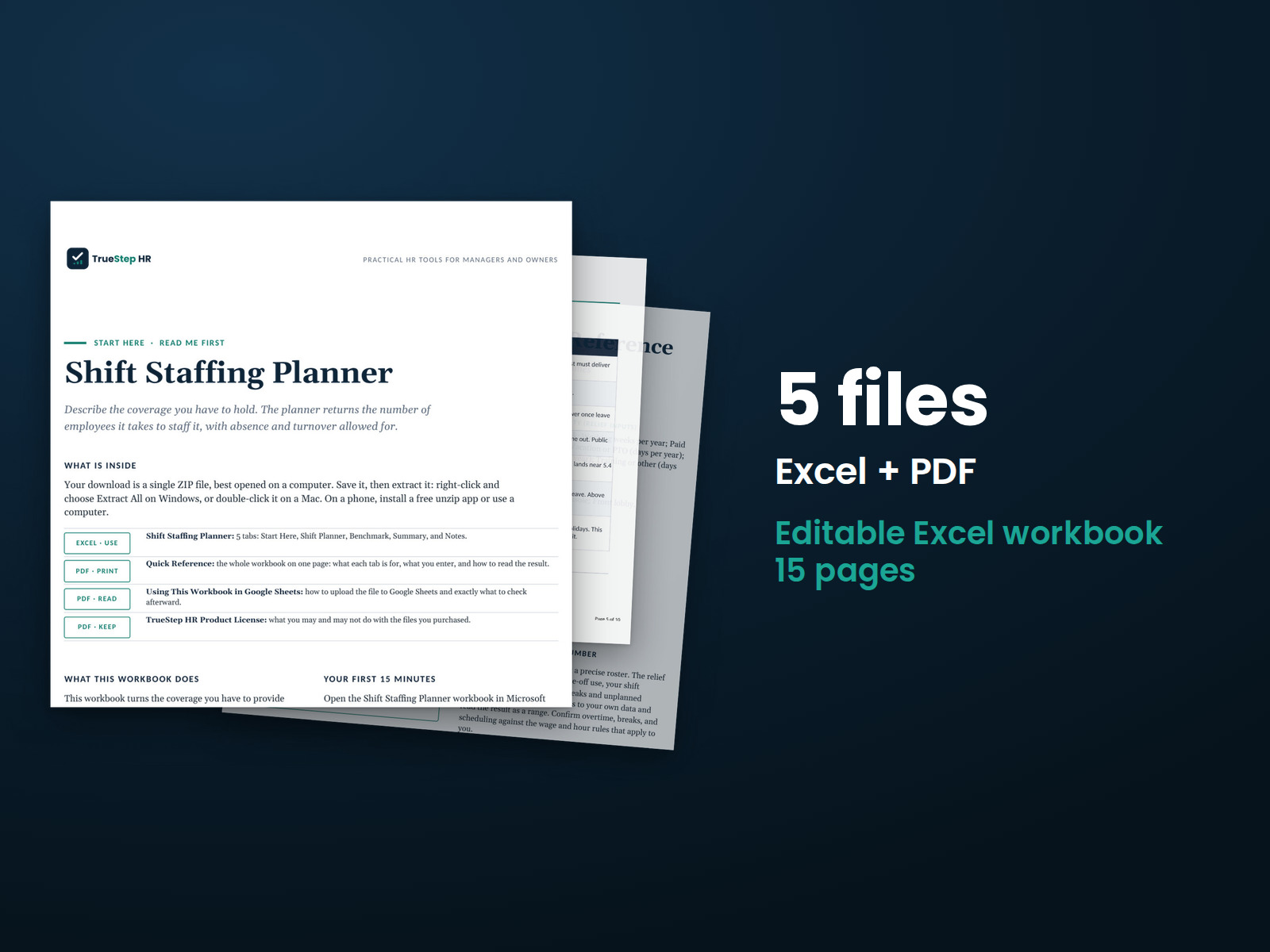
Turn the coverage you have to provide into the headcount it takes to staff it. Set time off once, list each post, and the workbook returns coverage hours, the relief factor, and the people you need, with a payroll figure and a board-ready summary.

$29USD

One-time purchase, no subscription. Instant download.

Built by expert HR practitioners and leaders

  • Coverage turned into headcount, post by post: list each post with the people on at once, the hours per day, and the days per week, and the workbook returns the coverage hours, the relief factor, and the employees needed, so the number rests on the coverage you set, not on the schedule you can see
  • Built on the hours one person works: holidays, PTO, sick, and training come out of the 2,080-hour paid year, leaving the hours a person delivers, about 1,768 in the worked example, and every post is sized against that figure
  • The relief factor made explicit: the workbook shows how many employees it takes to keep one post filled, about five for a continuous post in the worked example, the gap between the people on a schedule and the people you have to employ
  • The plan priced for a budget conversation: set a fully loaded cost per employee and the Summary returns the annual payroll to staff the coverage, the cost per coverage hour, and the cost per post
  • Open, editable formulas in Excel or Google Sheets, with a worked example pre-filled and a one-page summary built for a leadership conversation

The workbook computes from the numbers you enter. Your posts, time-off assumptions, and cost per employee are yours to set.

One-time purchase Instant download Editable files 14-day guarantee

Planning estimates and general business information, not legal or tax advice. It sizes the headcount coverage requires; confirm overtime, breaks, and scheduling against the wage and hour rules that apply to you, and read the result as a range you calibrate to your own time-off and absence data.

Not the right fit? Take the 60-second match.

Last reviewed June 2026

One-time purchaseNo subscription
Instant downloadFiles you keep
Editable filesExcel, Word, PDF
14-day guaranteeMoney back
Secure checkoutSSL encrypted
What you get

One Excel workbook that turns coverage into a staffing plan and a payroll figure

A working model, not a blank grid. You set the time-off assumptions once and list your posts, the workbook returns the relief factor and the employees each post needs, and it opens on a worked example so the logic is clear before you change anything.

XLSXExcel + Sheets

Shift Staffing Planner

Set per-employee availability once, contracted hours, working weeks, holidays, PTO, sick or personal days, training, and hours per day, then list each post with the people on at once, the hours per day, and the days per week. The workbook builds the hours one person works after time off, then returns coverage hours, the relief factor, and the employees needed, post by post with a running total.

XLSXBuilt in

A board-ready summary, sourced benchmarks, and the method in plain English

A one-page Summary rounds the headcount to whole people, carries the blended relief factor and coverage, and prices the plan at a fully loaded cost per employee. A Benchmark tab holds coverage, relief-factor, and absence ranges from BLS and government and contact-center staffing models, and the Notes tab documents how each number is built.

How it works

Three steps from coverage to a staffing plan you can defend

You set the time-off assumptions, list the posts, and the workbook returns the relief factor and the employees the coverage requires, with a payroll figure.

STEP 01

Set the time-off assumptions

Fill the amber cells for contracted hours, working weeks, holidays, PTO, sick or personal days, training, and hours per day. These build the hours one person works after time off, the divisor for every post, about 1,768 in the worked example. Set sick or personal to reflect real unplanned absence, not only formal sick leave.

STEP 02

List each post

Enter each post or coverage area with the people on at once, the hours per day it runs, and the days per week. Coverage hours, the relief factor, and the employees needed calculate on the right, and a row with a blank post is ignored, so you can model three posts or a dozen.

STEP 03

Read the plan and the payroll

The Summary rounds the headcount to whole people and carries the blended relief factor and coverage. Set a fully loaded cost per employee to see the annual payroll to staff the coverage, the cost per coverage hour, and the cost per post.

The standard

The schedule shows the slots, not the people you have to employ

Two shortcuts get shift staffing wrong. The first staffs to the slots on a schedule, as if the people filling them never took a day off. The second plans on the 2,080-hour paid year, as if a person delivered every paid hour. Real staffing rests on the hours a person works after leave, and it takes more than one person to keep one post filled.

Covering one post around the clock takes 8,736 hours of staffing a year, 168 hours a week across 52 weeks. One person works far fewer once time off comes out, about 1,768 hours in the worked example, so a continuous post needs about five people, often cited as 5.4, not one. The gap between the slots on a schedule and the people you have to employ is the relief factor, and ignoring it is what forces the overtime.
The hours one person works are the divisor. Paid hours, 2,080 at 40 by 52, minus holidays, PTO, sick, and training give the hours a person works, about 1,768 in the worked example. Every post is sized against that figure, not the paid total, which is why the headcount runs above the schedule.
Coverage is not staffing. Coverage is how many people must be on at once; staffing is how many you employ to deliver it every day of the year. A post that looks like a few seats on a schedule needs the relief factor on top, because the people filling those seats take days off and leave.
Calibrate the relief inputs to your own data. The relief factor rises with time off and falls with the hours each person works, so the leave figures move the number most. A factor near 1.4 to 1.6 per eight-hour shift is common for moderate leave; much above 1.7 signals heavy time off or a schedule worth tightening.
Is this for you

Who this planner fits and where to go if that is not you

It sizes the headcount that continuous or daily coverage requires and turns it into a payroll figure. For headcount driven by workload rather than coverage, or for the choice between overtime and one more hire on a known gap, the right tool is next to it.

Built for

  • An operations or HR leader staffing posts that run on a fixed schedule, security, dispatch, a front desk, a plant line, or a clinic, who needs the headcount behind the coverage before taking it to finance.
  • A finance or operations partner pressure-testing a staffing request, who wants the employees tied to coverage hours and the relief factor, and a payroll figure at the recommended headcount.
  • An owner or department head who keeps covering gaps with overtime and wants to see whether a post is simply understaffed.

If you are looking for

  • Sizing headcount from workload, tickets, orders, or cases, rather than from fixed coverage. The FTE Headcount Planner sizes that.
  • Deciding whether to cover one steady gap with overtime or a new hire. The Overtime vs New Hire Planner runs that trade-off.
Questions

Before you buy

What format is it and can I edit it?
It is one Excel workbook that also works in Google Sheets. Every input and formula is editable, and the file is yours to keep. Add posts by inserting rows inside the table, and duplicate the file to plan a second site or to rerun the numbers later.
There is a free version of this. Why pay for this one?
The free tool sizes one set of posts in the browser and resets when you close the tab. This workbook plans every post in one place and adds what the free tool stops short of: a fully loaded cost per employee turned into the annual payroll to staff the coverage, the cost per coverage hour, and the cost per post. It is a file you keep, with open formulas, so you can set the time-off and absence assumptions to your own operation, rerun it as coverage changes, and hand the one-page Summary to leadership.
How accurate is the result?
It is a planning estimate, and the time-off assumptions drive it. The hours one person works depend on the holidays, PTO, sick, and training you enter, and the relief factor follows from the coverage you list. Set the assumptions to your operation, keep the absence figure honest, and read the headcount as a range. Each post rounds up to whole people, which is deliberately conservative, and a shared relief pool across posts can shave the total slightly. The math is correct for the inputs.
How do I set the time-off and absence figures?
Use your own payroll and time-and-attendance data. Holidays, PTO, and training are usually set policy; the one to watch is sick or personal, which should reflect real unplanned absence, not only formal sick leave. BLS puts unplanned absence around 1.7 to 1.9 percent of usual hours for illness and personal reasons, on top of planned PTO, so set the sick or personal days high enough to cover it.
What is the refund policy?
Digital products are covered by a 14-day money-back guarantee. See the refund policy for the full terms.
What happens after I buy?
Checkout delivers an instant download link, and a receipt with the same link arrives by email. Open the workbook in Excel or Google Sheets, set the time-off assumptions, and list your posts. If a file gives you trouble, email support@truestephr.com.
Can I expense this purchase to my business?

Most customers buy TrueStep HR tools for business use, and a tool you use for work often qualifies as a deductible business expense. Whether it does for you depends on your situation, so confirm with your accountant or tax professional. Your receipt arrives by email at checkout and works as documentation.

Free guide

The 6 red flags to check before you discipline or fire someone

A five-minute screen that catches the most common and most expensive people-decision mistakes before they happen. Free PDF, sent to your inbox. Unsubscribe anytime.

Get the calculator

Turn coverage into a staffing plan

The relief factor, the employees each post needs, and a payroll figure for the coverage, in a file you keep.

$29
One-time purchase, no subscription

Planning estimates and general business information, not legal or tax advice. Last reviewed June 2026.