Compliance pack

Ontario Job Posting Transparency Pack

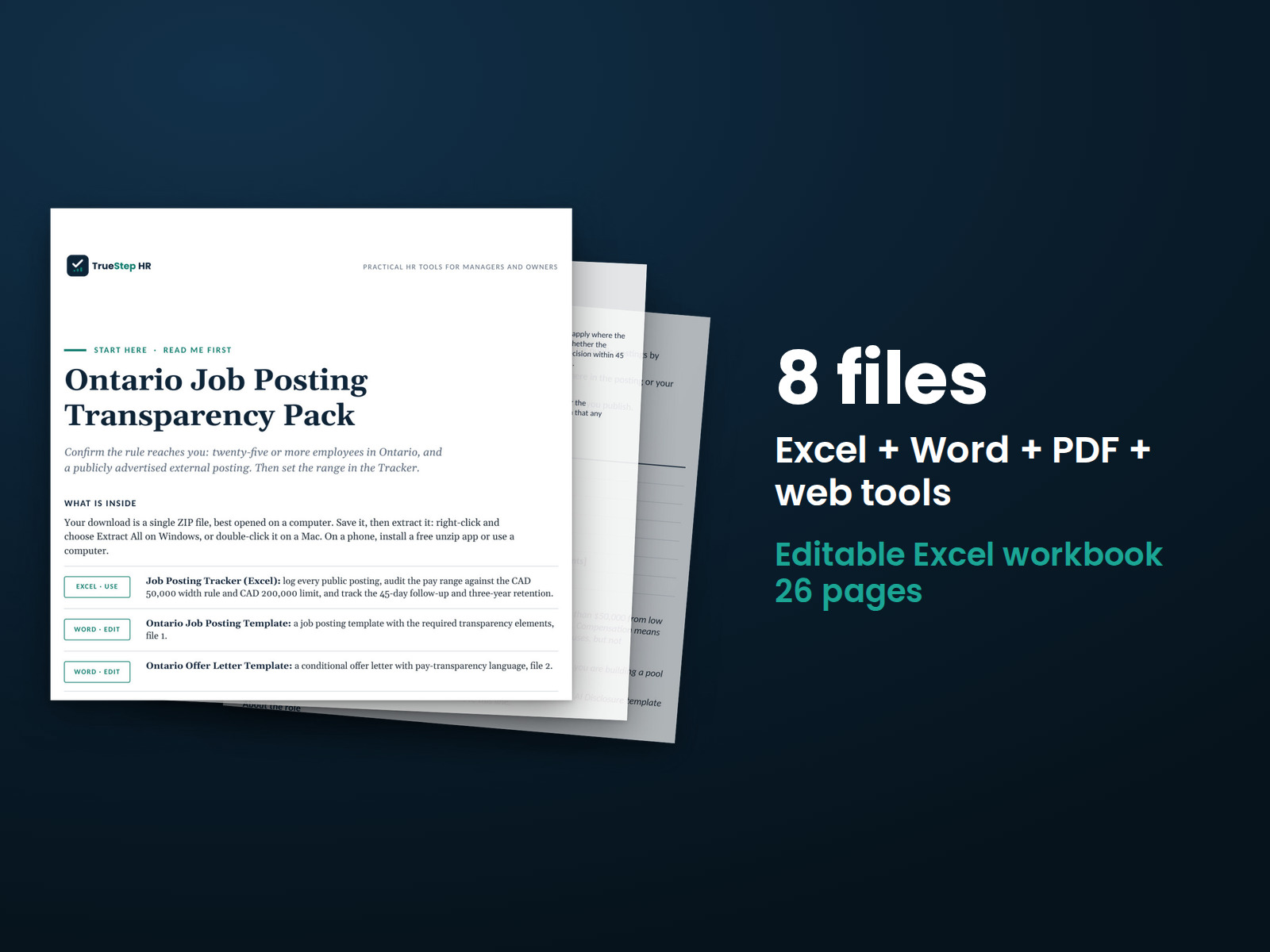
Get every publicly advertised Ontario posting right before it goes live. A ready-to-fill template with the required lines, copy-ready AI wording, and a tracker that checks the pay range and runs the 45-day and three-year clocks for you.

$89USD

One-time purchase, no subscription. Instant download.

Built by expert HR practitioners and leaders

  • Job posting template with the pay, vacancy status, and AI lines built in, plus a pre-publish checklist
  • AI disclosure wording: four copy-ready statements and a plain test for what counts as AI
  • Offer letter template with pay transparency language that ties the offer to the posted range
  • Six-tab posting tracker that checks each range against the CAD 50,000 width rule and flags the CAD 200,000 line
  • Both clocks calculated: the 45-day notice date per candidate and the three-year retention date per posting
  • Posting checker and Start Here guide: walk one finished posting through the rules before it goes live

The pack organizes the posting work and keeps the record. It does not determine that a posting complies and does not replace counsel review.

One-time purchase Instant download Editable files 14-day guarantee

Templates, a tracker, and general business information for planning, not legal or tax advice. Ontario's rules can change, so confirm edge cases with employment counsel before you post.

Not the right fit? Take the 60-second match.

Last reviewed June 2026

Buying for clients or multiple entities? The White-Label tier is in the license.

One-time purchaseNo subscription
Instant downloadFiles you keep
Editable filesExcel, Word, PDF
14-day guaranteeMoney back
Secure checkoutSSL encrypted
What you get

Six pieces that take a posting from draft to documented

Templates you publish from, wording you paste in, a tracker that runs the dates, and a final check before anything goes live. Built to be used together on every posting.

PDFStart here

Start Here

What each piece does, the order to use them, and the 2026 rules in plain language. One page, read it first.

DOCXWord + PDF

Job Posting Template

A ready-to-fill posting with the required compensation, vacancy status, and AI lines, coaching notes on each, and an internal pre-publish checklist. It also flags coded wording, like requiring local experience, that can read as a Canadian-experience requirement.

DOCXWord + PDF

AI Disclosure Wording

Four copy-ready statements, from a one-line disclosure to wording that names human review, with the Employment Standards Act's description of AI and a quick check for which hiring tools usually count.

DOCXWord + PDF

Offer Letter Template

A conditional offer letter for Ontario roles with a pay transparency line that ties the offer to the posted figure, vacation notes against the ESA minimums, and counsel prompts on probation and termination terms.

XLSXExcel

Posting Tracker

Six tabs: a Start Here, the postings log, the salary range audit, a per-posting compliance checklist, a documentation archive, and a notes tab with a counsel review log. The width check, the 45-day notice date, and the three-year retention date all calculate for you. Opens on a worked example. Works in Excel or Google Sheets.

HTMLWeb tool

Posting Compliance Checker

Walk one finished posting through the rules in any browser before you publish it. It runs locally, uploads nothing, and its result is a self-assessment, not a compliance determination.

How it works

The method in the order a posting runs

Scope first, pay second, then the checks and the clocks. The pack drafts and documents; counsel makes the close calls.

STEP 01

Confirm the rules reach you

The rules cover publicly advertised postings by employers with 25 or more employees in Ontario on the day the posting goes up. The tracker's scope check and the Start Here walk through it before anything else.

STEP 02

Set the range, then draft

Set the pay in Salary Range Audit: a single figure or a range within CAD 50,000 from low to high, with the rule not applying above CAD 200,000 a year. Then draft from the template, keep the vacancy and AI lines, and ask for nothing that reads as Canadian experience.

STEP 03

Check it before it goes live

Run the finished posting through the web checker and fix what it flags. If AI screens, assesses, or selects applicants, paste in the disclosure statement that fits your process.

STEP 04

Log it and run the clocks

Log the posting, notify every interviewed candidate within 45 days of their last interview, and keep the posting and its application forms for three years after it comes down. The Compliance Log and the Documentation Archive date both for you.

The standard

Built on the 2026 rules and honest about its limits

Posting rules are the part of hiring where one missing line becomes an employment-standards problem, so the pack is careful where it counts and clear about where counsel takes over.

The 2026 rules reach more than the posting itself: the application form, a follow-up to every interviewed candidate, and a three-year paper trail are all in scope.
Never a stand-in for legal advice. The templates and the tracker mark the legal checkpoints, from the CAD 200,000 line to what counts as AI, and tell you when to route the call to employment counsel.
The rules checked against current sources. The requirements reflect the Employment Standards Act, 2000, the Working for Workers Four and Five Acts, and O. Reg. 476/24, in force January 1, 2026, framed as a reference to confirm, not a guarantee.
A worked example to follow. The tracker opens on a filled-in posting, so you see the range check, the 45-day date, and the retention clock working before you log your own.
Dated and reviewable. Every file carries a last-reviewed date, the tracker keeps a counsel review log, and the archive tab holds the record the rules expect you to keep.

The pack tells you when to call a lawyer

Posting rules look mechanical until a case sits near a line. The checkpoints below are marked in the templates and the tracker, so you slow down before publishing or correcting anything. Advice early is far cheaper than a complaint later.

Pay at or near the CAD 200,000 exemption line Commissions or bonuses, and what counts as wages A tool that may meet the ESA's description of AI Application-form wording that hints at Canadian experience A posting that builds a pipeline instead of filling a vacancy A live posting that already breaks one of the rules

Who does what

A compliant posting splits the work between you, the pack, and your counsel. Here is the split, stated plainly.

  • The pack drafts the posting; you make it yours. The template carries the required lines and the coaching notes. The role, the pitch, and what it pays stay your call.
  • The pack runs the range math; you set the pay. The tracker checks each range against the CAD 50,000 width rule and flags the CAD 200,000 line. The number itself is a business decision.
  • The pack words the disclosure; counsel rules on the gray areas. Four statements cover the normal cases. Whether a borderline screening tool meets the ESA's description of AI is a legal call.
  • The pack dates the clocks; you send the notices. The 45-day due date calculates from the last interview. The message to each candidate still has to go out, and the log shows it did.
  • The pack keeps the record, and the record is the point. Three years of postings and application forms, logged and dated, is the difference between a clean answer and a scramble if anyone ever asks.
Is this for you

Who it's built for

Who this fits, and where to go if that's not you.

Built for

  • An Ontario employer at or past 25 employees, posting publicly under the 2026 rules for the first time.
  • An HR team of one or a hiring manager who writes the postings and needs the required lines, the range check, and the dates handled without a lawyer on every posting.
  • A US or global company hiring into Ontario that needs the posting side localized: CAD ranges, the AI line, and nothing that asks for Canadian experience.

If you are looking for

Questions

Before you buy

What format are the files and can I edit them?
One Excel tracker, three Word templates that also ship as PDFs, a Start Here PDF, and a web checker that opens in any browser. The tracker works in Excel or Google Sheets, everything is editable, and the files are yours to keep. The checker runs locally and uploads nothing.
Is this legal advice?
No. It is general information and a self-review structure for planning. The pack marks where to bring in employment counsel, and it does not determine that any posting complies. Take edge cases, and anything already live that breaks a rule, to counsel before you act.
Do the rules apply to my company?
They cover employers with 25 or more employees in Ontario on the day the posting goes up, and only publicly advertised external postings. The Start Here and the tracker's scope check walk through it, and if you sit near the line, confirm with counsel.
What has to be in the posting?
The expected pay or a range no wider than CAD 50,000, whether the posting is for an existing vacancy, and a disclosure if AI is used to screen, assess, or select applicants. Nothing in the posting or the application form may require Canadian work experience. The pay line is not required where the pay, or the top of the range, is above CAD 200,000 a year. Amounts in the pack are Canadian dollars; the store price is in US dollars.
What counts as AI here?
The Employment Standards Act describes AI as a machine-based system that infers from its input to produce predictions, recommendations, content, or decisions. Resume rankers and automated scoring usually qualify; a plain keyword filter or an applicant database usually does not. The disclosure sheet carries the quick check, and the close calls go to counsel.
What is the 45-day rule?
Every candidate you interview must hear whether a hiring decision has been made within 45 days of their last interview. The Compliance Log calculates the due date from the last interview date and tracks that each notice went out.
What do we have to keep and for how long?
Two clocks. The posting and its application forms are kept for three years after the posting comes down, and records of the 45-day notices are kept for three years after each notice is given. The Documentation Archive calculates the first; the Notes tab covers both.
Will it stay current as the rules change?
Each file carries a last-reviewed date so you can see how current it is, and meaningful updates are released as the rules change. The requirements come from legislation that took effect January 1, 2026, and amendments do happen, so check the date before you lean on a number.
What is the refund policy?
Digital products are covered by a 14-day money-back guarantee. See the refund policy for the full terms.
What happens after I buy?
Checkout delivers an instant download link, and a receipt with the same link arrives by email. Open the Start Here page first; it tells you the order to work in. If a file gives you trouble, email support@truestephr.com.
Can I expense this purchase to my business?

Most customers buy TrueStep HR tools for business use, and a tool you use for work often qualifies as a deductible business expense. Whether it does for you depends on your situation, so confirm with your accountant or tax professional. Your receipt arrives by email at checkout and works as documentation.

Free guide

The 6 red flags to check before you discipline or fire someone

A five-minute screen that catches the most common and most expensive people-decision mistakes before they happen. Free PDF, sent to your inbox. Unsubscribe anytime.

Get the pack

Post it right the first time

The required lines built into the template, the range checked before it goes live, and both clocks dated in one tracker.

$89
One-time purchase, no subscription

Templates and self-review tools for planning, not legal or tax advice. Last reviewed June 2026.