HR calculator

New Hire Ramp Calculator

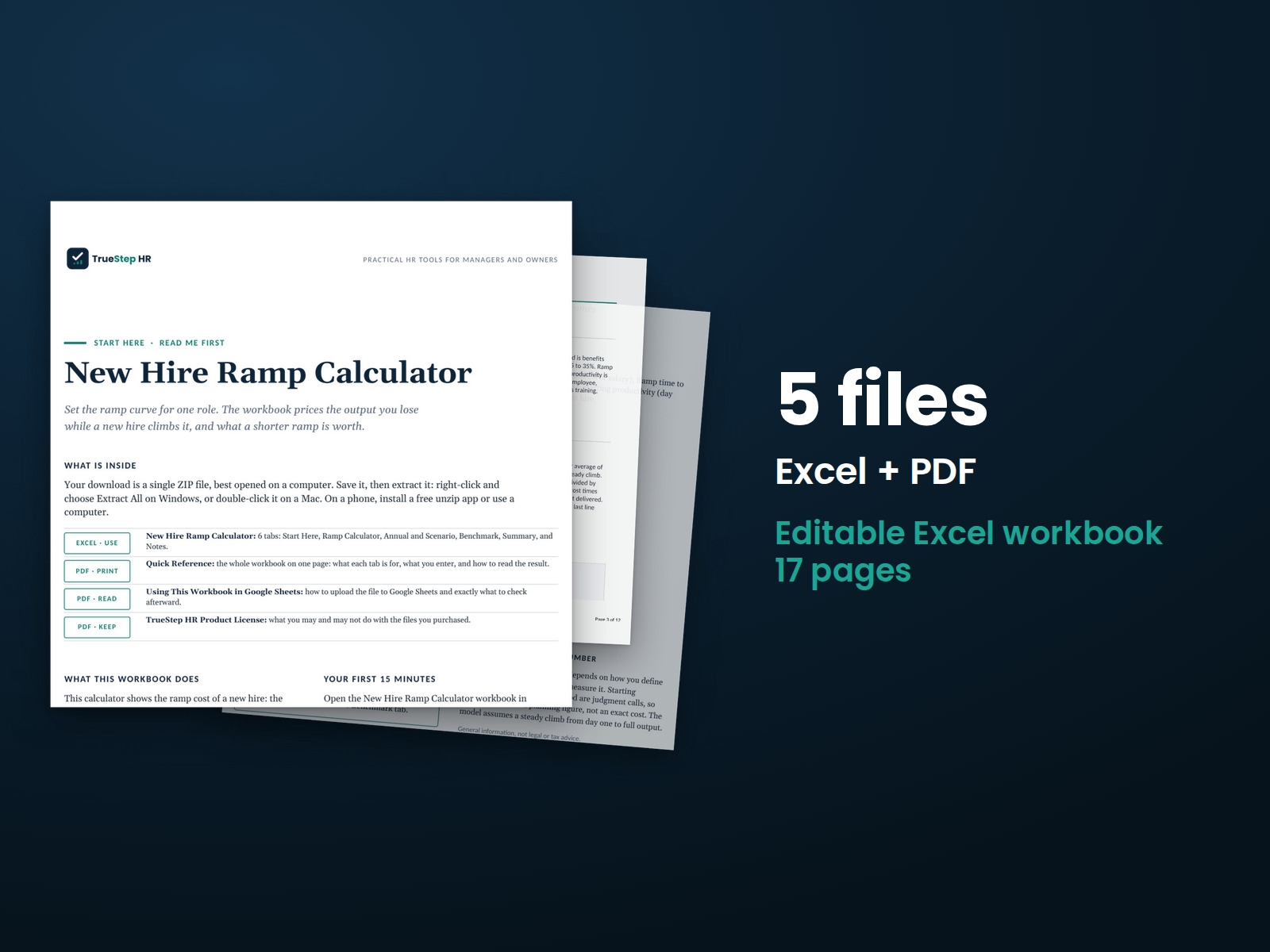
See what a new hire costs you before they reach full output, and what a faster ramp would save. Enter the salary, ramp time, and day-one productivity, and the workbook returns the ramp cost per hire, the annual cost across your hires, and the saving from a stronger start.

$24USD

One-time purchase, no subscription. Instant download.

Built by expert HR practitioners and leaders

  • The ramp cost of one new hire: the output lost while they climb to full speed plus the onboarding cost, with the average productivity during the ramp, the monthly loaded cost, and the cost as a share of salary, every formula visible and editable in Excel or Google Sheets
  • An annual ramp cost across your hires: set how many people you bring into the role in a year for the full-year cost of ramping every one of them, not a single-hire figure
  • A faster-ramp scenario, costed: set a target ramp time and a stronger day-one start, and the workbook returns the cost per hire at that target and the dollar saving across a year of hires
  • Sourced ramp benchmarks: typical time to full productivity by role, from entry to senior, sales, and healthcare, cited to SHRM, Gallup, and the Bridge Group, to sense-check your ramp time
  • A working file you keep: a pre-filled worked example, your numbers saved, and the method documented in plain English, not a one-time screen

The workbook computes from the numbers you enter. The salary, ramp time, day-one productivity, onboarding cost, and how many you hire in a year are yours to set.

One-time purchase Instant download Editable files 14-day guarantee

Planning estimates and general business information, not legal or tax advice. The result rests most on the ramp time and the day-one productivity you set, how long the climb takes and where it starts, so set them to the role and treat the figure as a way to size the cost of ramping, not a precise ledger entry.

Not the right fit? Take the 60-second match.

Last reviewed June 2026

One-time purchaseNo subscription
Instant downloadFiles you keep
Editable filesExcel, Word, PDF
14-day guaranteeMoney back
Secure checkoutSSL encrypted
What you get

One Excel workbook that turns a salary, a ramp time, and a day-one start into the cost of a new hire

A working model, not a blank sheet. You enter the role and the ramp, the workbook returns the cost per hire and what a faster ramp saves, and it opens on a worked example so the logic is clear before you change anything.

XLSXExcel + Sheets

New Hire Ramp Calculator

Enter the annual salary, benefits load, ramp time to full productivity, day-one productivity, and onboarding cost per hire. The workbook returns the average productivity during the ramp, the monthly fully loaded cost, the lost productivity per hire, the total ramp cost per hire, and that cost as a share of annual salary.

XLSXBuilt in

An annual view, a faster-ramp scenario, a board-ready summary, sourced benchmarks, and the method in plain English

An Annual and Scenario tab scales the cost across your hires and puts a dollar figure on a shorter ramp and a stronger day-one start. A one-page Summary carries the headline numbers for a leadership conversation, a Benchmark tab holds typical ramp times by role from SHRM, Gallup, and the Bridge Group, and the Notes tab documents how each number is built.

How it works

Three steps from a salary and a ramp time to the cost of a new hire

You enter the role, read the cost per hire, then test a faster ramp. The workbook does the rest.

STEP 01

Enter the role and the ramp

Fill the amber cells: annual salary, benefits load, ramp time to full productivity, day-one productivity, and onboarding cost per hire. The worked example runs a $70,000 role with a five-month ramp and a 25 percent day-one start, change it to your own numbers.

STEP 02

Read the cost per hire

The workbook averages output across the climb, spreads the loaded pay over the ramp months, and prices the share of output not yet delivered, then adds the onboarding cost for the total ramp cost per hire, with the cost as a share of salary alongside.

STEP 03

Test a faster ramp

The Annual and Scenario tab scales the cost across your hires and shows what a shorter ramp or a stronger day-one start would save in a year. Use the saving to size an onboarding or enablement investment. The Summary rolls it up for a leadership conversation.

The standard

A new hire’s salary starts on day one but full output does not

Two habits get the cost of a new hire wrong. The first counts only the salary and the onboarding bill, missing the larger cost, the output the role does not yet deliver while it climbs to full speed. The second treats the ramp as free because the person is on payroll and working, when a half-productive hire is half an unfilled role. A model that prices the lost output across the ramp, and lets you set where day one starts, gives a figure a finance partner will accept.

Research commonly puts the climb to full productivity near eight months, longer for senior and technical roles, and the climb is rarely free: most new hires start well below full output and take months to close the gap. The real cost is the output not yet delivered across that ramp, plus the onboarding spend, and you pay it on every hire. The two numbers that move it most are how long the ramp takes and where day one starts, so the honest figure rests on setting those to the role, not on the headline alone.
The ramp is a real cost, not a free climb. A new hire who starts at 25 percent of full output and takes five months to get there delivers only about 63 percent of a full employee’s output across that ramp on average. On a $70,000 role that lost output is about $14,219, and with onboarding the hire costs about $18,219 before reaching full speed, near 26 percent of salary.
Ramp cost recurs, so it scales with hiring. The per-hire figure is one event, but you pay it on every hire. Across twelve hires into a role like the worked example, the annual ramp cost is about $218,625, which is the number to weigh an onboarding or enablement program against, not the single-hire cost.
A faster ramp and a stronger start both lower the cost. Cutting the ramp from five months to three and lifting day-one output from 25 to 40 percent takes the cost per hire from about $18,219 to $10,825, and across twelve hires that is a saving near $88,725 a year. The starting-productivity input is your lever for a better day one, and the ramp-months input is your lever for a faster climb.
Is this for you

Who this calculator fits and where to go if that is not you

It puts a number on what a new hire costs before full output, and what a faster ramp saves, with a board-ready summary. For the recruiting spend to fill the role, the full cost of the person who left, or the return on the training itself, the right tool is next to it.

Built for

  • An HR or talent leader building the case for an onboarding or enablement program who wants the cost of ramping, not just the salary and the training bill.
  • A finance or operations partner who wants new hires costed across the ramp and the year, with day-one output and ramp time set to the role.
  • A hiring manager or owner who wants to see what a slow start costs and what a shorter ramp or a stronger first month would save.

If you are looking for

  • The recruiting spend to bring the hire in, the ads, agency fees, and staff time, rather than the output lost while they ramp. The Cost Per Hire Calculator sizes it.
  • The full all-in cost of the person who left and being replaced, of which the new hire’s ramp is one part. The Cost of Turnover Calculator covers that.
  • Whether the onboarding or training spend itself pays back, measured against the gain it produces. The Training ROI Calculator works that out.
Questions

Before you buy

What format is it and can I edit it?
It is one Excel workbook that also works in Google Sheets. Every input and formula is editable, and the file is yours to keep. Change any assumption, set how many you hire in a year, model a faster ramp, add notes, and duplicate the file to rerun the numbers for another role.
How accurate is the result?
The structure is solid arithmetic: output averaged across the climb, the loaded pay spread over the ramp months, and the share of output not yet delivered priced and added to the onboarding cost. It assumes a steady climb from the day-one start to full output, which is the common simplifying assumption; a real ramp may be faster or slower in places. The figure rests most on the ramp time and the day-one start you set, so set them to the role. Every figure foots to your inputs, and the Benchmark tab gives typical ramp times by role to sense-check them.
How is this different from the free calculator?
The free calculator gives you the ramp cost per hire, the lost output, the average productivity, and a yearly figure on screen, and those are real answers. The workbook is for when you need to keep and work that number. You own the file in Excel and Google Sheets, so your numbers stay saved and every formula is open to edit and audit. It lets you set how many people you hire into the role in a year for a true annual cost rather than a fixed twelve, adds a faster-ramp scenario that puts a dollar saving on a shorter ramp and a stronger start, a one-page summary built for a board or finance review, and a Benchmark tab with typical ramp times by role cited to SHRM, Gallup, and the Bridge Group. The free tool answers what a new hire costs; the workbook is the model you use to size what a faster ramp is worth.
How do I set day-one productivity and the ramp time?
Day-one productivity is what a new hire delivers in their first week against a fully productive employee, often 20 to 30 percent for a role that needs ramp; set it higher for a hire who arrives job-ready and lower for one starting cold. Ramp time is the months until they reach full output. The Benchmark tab is a useful check: entry roles often reach full output in one to three months, mid roles in three to six, senior and technical roles in six to twelve, and the Bridge Group puts sales reps near three months and account executives near six.
What is the refund policy?
Digital products are covered by a 14-day money-back guarantee. See the refund policy for the full terms.
What happens after I buy?
Checkout delivers an instant download link, and a receipt with the same link arrives by email. Open the workbook in Excel or Google Sheets, enter the role and the ramp, and read the cost. If a file gives you trouble, email support@truestephr.com.
Can I expense this purchase to my business?

Most customers buy TrueStep HR tools for business use, and a tool you use for work often qualifies as a deductible business expense. Whether it does for you depends on your situation, so confirm with your accountant or tax professional. Your receipt arrives by email at checkout and works as documentation.

Free guide

The 6 red flags to check before you discipline or fire someone

A five-minute screen that catches the most common and most expensive people-decision mistakes before they happen. Free PDF, sent to your inbox. Unsubscribe anytime.

Get the calculator

Put a number on the ramp, not just the salary

Enter the salary, ramp time, and day-one productivity, and the workbook returns the ramp cost per hire and what a faster ramp or a stronger start would save, in a file you keep.

$24
One-time purchase, no subscription

Planning estimates and general business information, not legal or tax advice. Last reviewed June 2026.